There is an old saying, “Music soothes the savage beast.” Music truly can soothe you when you are upset over something. It can also help in relaxing our mind, and healing of our body.
There is a therapy called “Brain Music Therapy,” where they record your brain waves and turn it into music. It is reported to soothe and make people feel much better. Music therapy has been used for Read the rest of this entry »
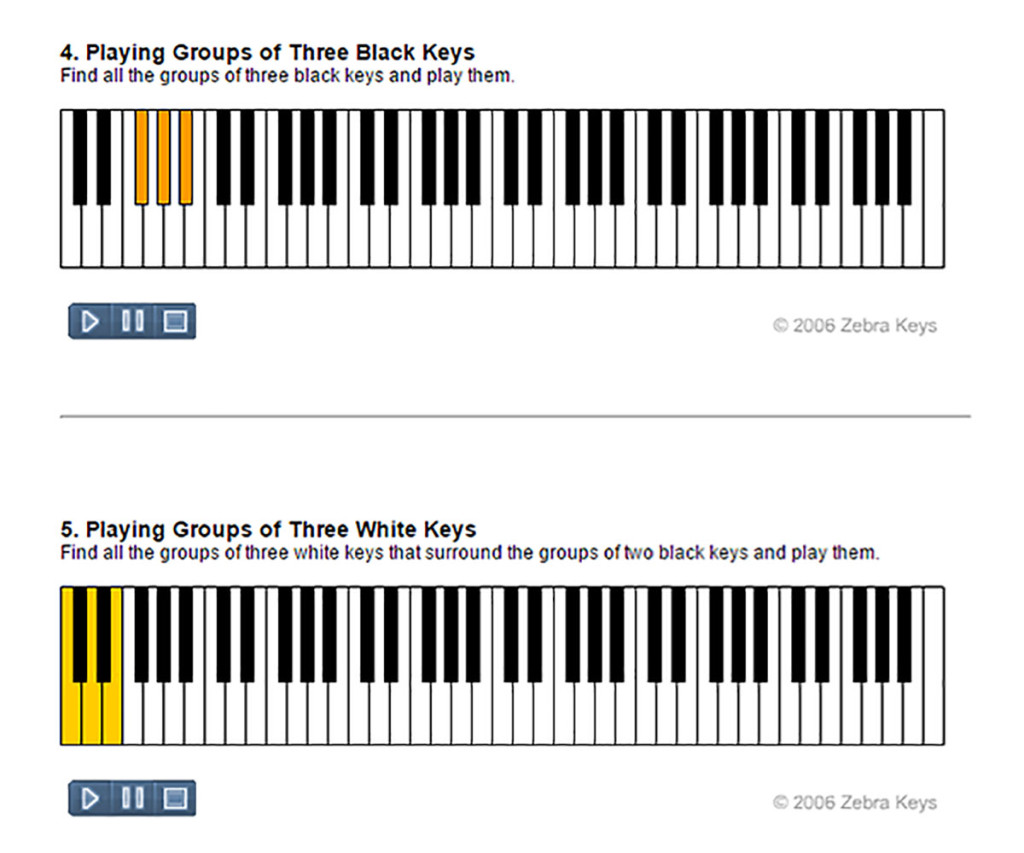
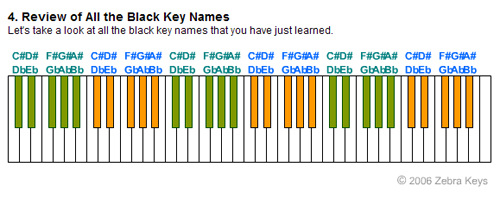
A full size piano keyboard has 88 keys which consists of 52 white keys and 36 black keys.
Today, we will be learning about the patterns and the names of these white keys. We need to know only the names of seven white keys, which are repeated throughout the keyboard.
To help us memorize the names of these white keys in relation to the their position on the keyboard, we will divide the white keys into two groups:
1. Group of three keys, and
2. Group of four keys.
The names of the keys (3) in the first group are: C, D, and E.
The names of the keys (4) in the second group are: F, G, A, and B.
Starting from the left -
The name of the first white key (on the left of any group of two black keys) is C.
The name of the first white key (on the left of any group of three black keys) is F.
See the diagram below:
Test yourself - Access Keyboard Trainer to test the skill you have just learned here.
Another great music tool, “Note Trainer” - it will help to improve your note recognition skills.
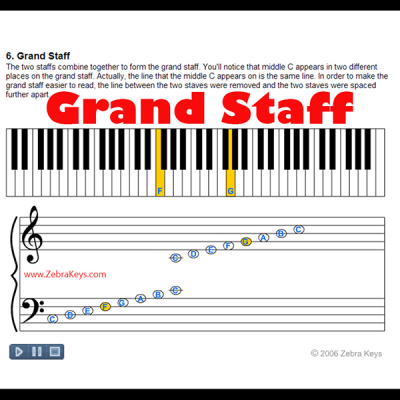
1.First, click for the music notation chart, and memorize all the notes on the music staff. (Click on ”Music Notation” section if you need some revisions).
2.Now, let’s look at the Note Trainer below, and see if you can name all of the notes on the music staff. The Note Trainer will highlight a music note on the staff, you then select the answer. This exercise will help you to improve you note reading skills. You will find that the Note Trainer also keeps scores for your correct and incorrect answers. Have fun!
Instructions:
1. To start, click on the “New Note” button on the blue panel on the right.
2. A new key will be highlighted.
3. Select the correct answer by pressing on any of the blue round buttons
at the bottom of the panel
4. The correct answer will be shown if your answer was incorrect
(Note: this tool will also keep the scores for you)
Here is a fun online interactive music tool, “Keyboard Trainer”, for everyone! This trainer will help to improve your recognition skills of the keys on piano keyboard.
2. Now, use the “Keyboard Trainer” above to test yourself and see if you can name all of the white piano keys.
Instructions:
i) Click on the “New Key” button on the Keyboard Trainer. You will see a key highlighted in blue.
ii) Name that key by pressing on the “key name” button (below the keypad).
iii) A box will pop up telling you if you have chosen a correct answer, (Note: the counter also keeps track of your scores).
This is a fun and educational activity for children to learn music as well. Practice this everyday until you can name all the white keys on the keyboard regardless of
Now, let’s watch the video on how to do the five fingers exercises:
Use the mouse to click directly on the keys of the virtual piano keyboard pad below.
You would need an actual piano keyboard to do the five-finger exercises, but for
now you can use this virtual keyboard, just so that you can get familiar with
what each note sounds like.
The exercise in this video will help to improve your piano technique. The use of all the fingers in
Today, we will be learning how to play one of the most popular songs, “Brother John” on piano keyboard.
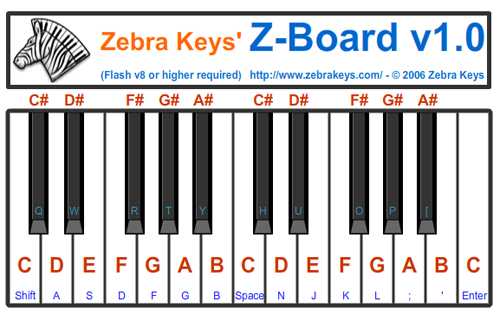
First, watch the demo playing the melodies. Practice playing these notes with your right hand until you are familiar with all the notes. (You can use virtual piano Z-Board below if you don’t already own a piano or keyboard).
Next, watch the second video showing you how to play chords or harmony for the left hand. Again, practice to play these chords with your left hand until you are familiar with the chord (you will be playing only the C chord in this song).
The last video will show you how to play this song with both hands.
(see below for finger placement)
1 -> Thumb
2 -> Index Finger
3 -> Middle Finger 4 -> Ring Finger
5 -> Pinky
Watch this video, and practice to play melody using your right hand:
Next, watch this video playing the chords (there is only one chord - C chord, in this song).
Practice to play the harmony (chords) using your left hand:
Arpeggio in musical term refers to a group of notes (or chord) being played one after the other in sequence. Arpeggio can be played going up or down the scales spreading more than one octave range. The most basic arpeggio is the C Major Arpeggio.
Besides daily practice of scales, it is recommended that you also practice the arpeggios. In this lesson, we will be learning how to play the C Major Arpeggio.
Let’s just go ahead and take a look at an animation of the C major arpeggio. Notice that every note played are notes of the C major chord; C, E, and G.
Steps to Play the Arpeggio
You will be playing through four octaves of C major chords, and then ending it at the top of the piano keyboard with a single C note. Then you will head back down the piano keyboard through the same four octaves of C major chords. Here’s a step by step explanation on how to play the C major chord arpeggio.
Start with your left hand in C position, two C’s below Middle C. And, your right hand
in C position on an octave higher than your left hand (or one C below Middle C).
Play the first C major chord with your left hand.
Play the second C major chord with your right hand.
Cross your left hand over your right hand to go to the third C major chord & play it.
Pass your right hand under your left hand to go to the fourth C major chord & play it.
Cross your left hand over your right hand to reach for “C” & play it (Do not move your right
hand; you still need to use it).
Now you have to go back down towards your starting position. With your right hand in
the position you last left it, play the fourth C major chord.
Cross your left hand over you right hand and play the third C major chord.
Cross your right hand over your left hand and play the second C major chord.
This is the last step! Pass your left hand under your right hand and play the first C major chord.
You have just played C Major Arpeggio. You should be back at the position you started with. Congratulations!
Browse Piano Keyboards - For a limited time buy select musical instruments items offered by Amazon.com and
Get an extra 10% off at checkout.
ZebraKeys’ virtual piano keyboard allows you to practice songs you have learned in the “Learn Song” section. This is an online interactive piano keyboard (wo octaves) - you can practice simple songs online.
“The Entertainer“ was written by Scott Joplin in 1902, and later sold to John Stark & Son. It is a classic ragtime music which became popular in the 70’s when the film “The Sting” used it as the theme music in
There are 12 possible keys any particular song can be played in since there are 12 notes on the piano keyboard, namely –
A, A#/Bb, B, C, C#/Db, D, D#/Eb, E, F, F#/Gb, G, and G#/Ab
A song can be played so that any one of these twelve notes will be the tonal center or home base.
For example, a song that is played in the “Key of C Major” will be built around the seven notes of C Major scale (i.e. C, D, E, F, G, A, and B).See below:
Lesson 12 - 12 Keys of Music
I. Index
1. Introduction
2. 12 Possible Keys in Music
3. How to Tell What Key a Particular Song is In
4. Examples of Songs Played in Different Keys
5. The 12 Keys of Music
6. Conclusion